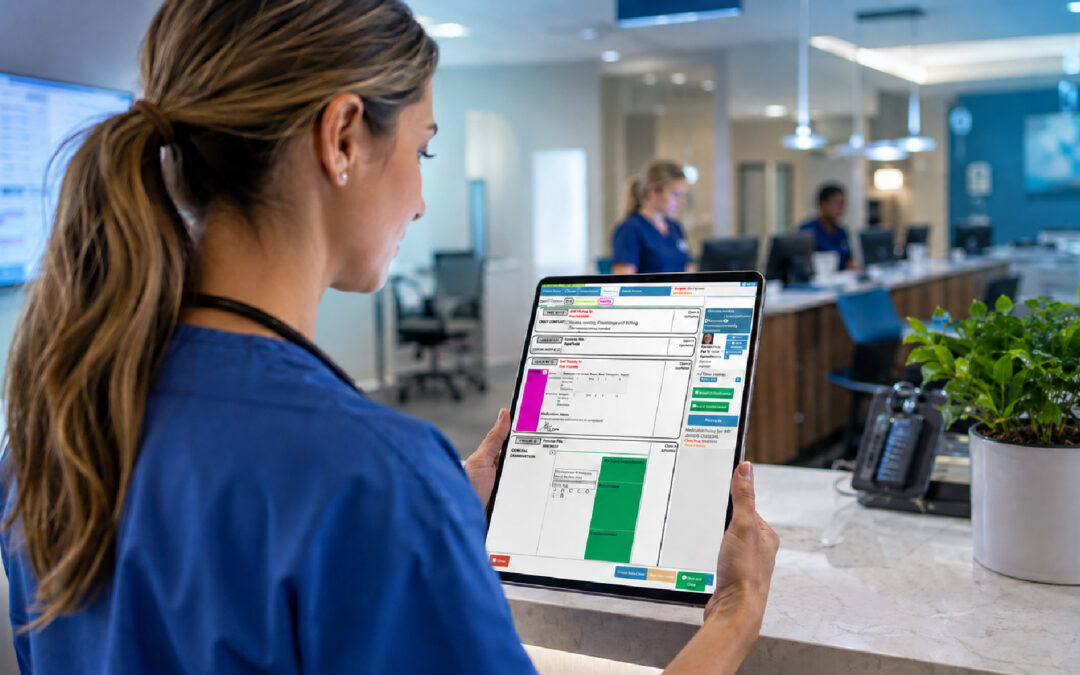
It’s Monday, 8:15. The receptionist has a sticky note about a cardiology referral from Thursday, a voicemail from a patient asking whether “that specialist” has called yet, and a half-finished letter on a shared drive. Nobody is sure which of these is still live. This is how referrals go missing in practice, and it’s rarely through negligence.
Patient referral management software exists to close that gap. It gives every referral a single trail, from the moment the clinician decides a patient needs a specialist to the day you can confirm the consultation took place. Without that trail, you’re relying on memory and goodwill.
The stakes are real. A referral that stalls can mean a delayed diagnosis, an anxious patient and, eventually, an awkward conversation. Health systems differ widely in how referrals are funded and governed, and the OECD’s health work shows how varied care coordination is between countries. The failure point, though, is nearly always the same: the handover between people, and between systems.
Building a Referral Tracking System for Healthcare Practices
A referral tracking system for healthcare practices starts with one rule: every referral gets a record the moment it’s requested, not when someone finds time to type it up. That record should hold the patient, the referring clinician, the destination, the clinical reason, the urgency and a named person responsible for chasing it.
That last field matters more than people expect. When “the team” owns a referral, nobody does. Give each one an owner, even if ownership rotates weekly, and you’ll find the loose ends shrink fast.
Think about the documents too. Referral letters and documents are where most of the friction hides: the letter drafted but never sent, the attachment that didn’t go, the specialist’s report that arrives and gets filed under the wrong patient. A good system keeps the letter, supporting results and any reply attached to the same record, so nobody hunts through three folders.
Then there’s the link to the clinical file. Electronic health records integration is what stops double entry, which is where errors creep in. If the clinician can raise a referral from within the patient’s chart, and the history and relevant results travel with it, the admin team isn’t retyping details they might get wrong. The WHO’s work on digital health and HealthIT.gov’s material on interoperability both make the case that connected records are the foundation of coordinated care.
Finally, think about privacy. Referrals carry sensitive information across organisational boundaries, so you need to know who can see what, and keep an audit trail. Requirements vary by jurisdiction, so check the rules that apply where you practise.
Referral Workflow Automation: Taking the Repetitive Work Off Your Team
Most referral work is repetitive. Draft the letter, check the destination’s requirements, send it, log it, wait, chase, file the reply. Referral workflow automation takes the predictable steps off your staff so they can spend their attention on the exceptions.
Start by looking at where your clinicians lose time. Family medicine research, such as the AAFP’s piece on clinical workflow efficiencies, points to delegation and templates as the quickest ways to cut work after clinic. Referrals suit both. A template for common referral types means the doctor adds the clinical judgement and a trained administrator handles the rest.
Funding checks belong in the same workflow. In systems where payers require authorisation before a specialist visit, a missing approval can sink the whole thing, and patients only find out at the specialist’s front desk. Industry commentary on denials makes the same point repeatedly: check requirements upfront, not after the fact. Building that check into the referral steps, before the patient leaves, saves a great deal of unpicking later. Medical Economics has useful practical tips on billing workflows that apply here.
Be careful not to automate a broken process. If your current routine is vague, software will simply make the vagueness faster. Sketch the steps on a whiteboard first, agree who does what, and decide before launch how scheduling, staffing and record-keeping will work together. The telehealth workflow guidance from the US Department of Health and Human Services takes exactly this approach to planning, and it transfers well to referrals.
Referral Status and Follow-Up Reminders That Actually Get Acted On
A referral isn’t a single event. It moves through stages: requested, sent, received, booked, attended, report returned. Referral status and follow-up reminders turn those stages into something you can see at a glance, and they tell you when a referral has sat too long in one of them.
Pick realistic time limits. If a routine referral hasn’t been acknowledged within, say, five working days, someone should be prompted to call. If an urgent one hasn’t been booked within two, the prompt should arrive sooner and go to someone senior. Your numbers will differ, but the principle holds: silence is a signal.
Patients need reminders as well. Practice-management surveys on missed appointments consistently find that multi-touch reminders by SMS or email, with an easy way to confirm or reschedule, improve attendance. A patient who knows where to go, when and why is far more likely to turn up. Plain-language instructions help too, including what to bring and who to call with questions.
The final stage is the one most practices skip. Completed consultation confirmation closes the loop: you know the patient attended, you’ve received the specialist’s findings, and the clinician has reviewed them. Without it, a referral looks finished when it’s merely sent. Make “report received and reviewed” a required step, and flag any referral that never reaches it.
It also gives you something to measure. Tracking how long referrals take from request to completed consultation, and how many fall out along the way, is the kind of proactive metric MGMA recommends practices monitor. Patterns show up quickly, such as one specialist who’s always slow or one clinic that never acknowledges receipt.
Where GoodX Fits Into Your Referral Process
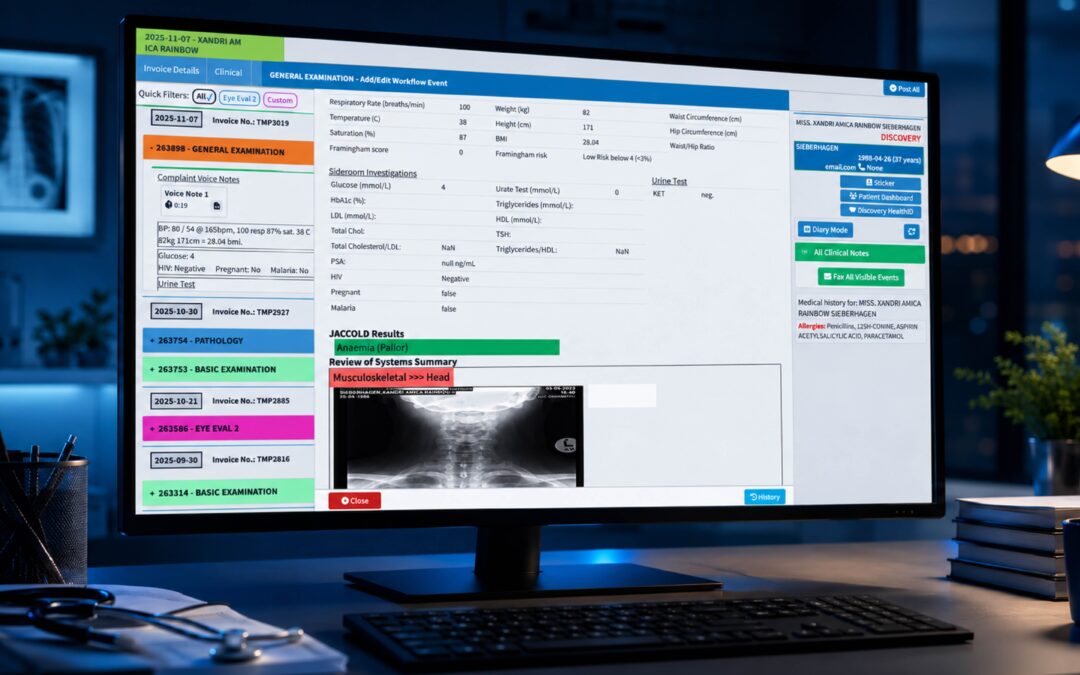
GoodX practice management software brings the pieces above into one working environment. Clinical records, bookings, billing and reporting sit together, so a referral raised in the consulting room doesn’t have to be re-keyed by someone down the corridor. That connection is what keeps the trail intact.
In practical terms, GoodX helps practices automate repetitive admin, keep referral documents attached to the right patient, and see which referrals are still open. Reminders and status visibility mean fewer surprises on a Monday morning. Reporting gives the practice manager a view of where referrals are stalling, and a central record supports compliance by showing who did what and when.
If you’re comparing your current routine with something more structured, it’s worth seeing how [INTERNAL LINK: practice management software for medical practices -> GoodX practice management page] handles it in a live setting. You might also read about [INTERNAL LINK: how clinical records and bookings connect -> GoodX clinical records page] before you do. Every practice’s setup is different, so a walkthrough tied to your own workflow is more useful than a feature list.
Frequently Asked Questions
What is patient referral management software?
Patient referral management software is a system that records, tracks and closes out referrals from the first request to the completed specialist consultation. It stores documents, shows each referral’s status, and prompts staff to follow up when something stalls, so fewer referrals are lost between practices.
How does referral tracking reduce missed appointments?
Referral tracking reduces missed appointments by making sure patients receive clear details and timely reminders, and by letting staff see who hasn’t booked. Automated SMS or email prompts with easy confirm or reschedule options generally improve attendance compared with a single phone call or none at all.
Should referral software connect to our clinical records?
Yes, ideally it should. Connecting referrals to the clinical record means history, results and letters travel with the request without retyping. That cuts transcription errors, saves staff time and keeps everything about the patient’s care in one place for review.
How do we know a referral is truly complete?
A referral is complete when the patient has attended, the specialist’s report has been received, and a clinician has reviewed it. Recording that completed consultation confirmation as a required final step stops referrals from looking finished when they are only sent.
Can small practices benefit from referral workflow automation?
Yes, small practices often benefit most, because they have fewer staff to chase things manually. Automating routine steps such as letter templates, status updates and reminders frees limited admin time and reduces the risk that a single absence leaves referrals unattended.
Book your free GoodX demo
If you’d like to see how referrals could be tracked from request to completed consultation in your own practice, book a free demo. We’ll walk through the workflow with you and answer your questions. Start at goodx.international.
Disclaimer: This article is provided for general informational and educational purposes only. While GoodX Software takes reasonable care to ensure that the information is accurate and current at the time of publication, laws, regulations, industry standards, healthcare policies and technology may change. The content should not be regarded as medical, legal, financial or other professional advice. Readers should verify information relevant to their circumstances and consult an appropriately qualified professional where necessary. GoodX Software accepts no responsibility for decisions made or actions taken solely on the basis of this content.