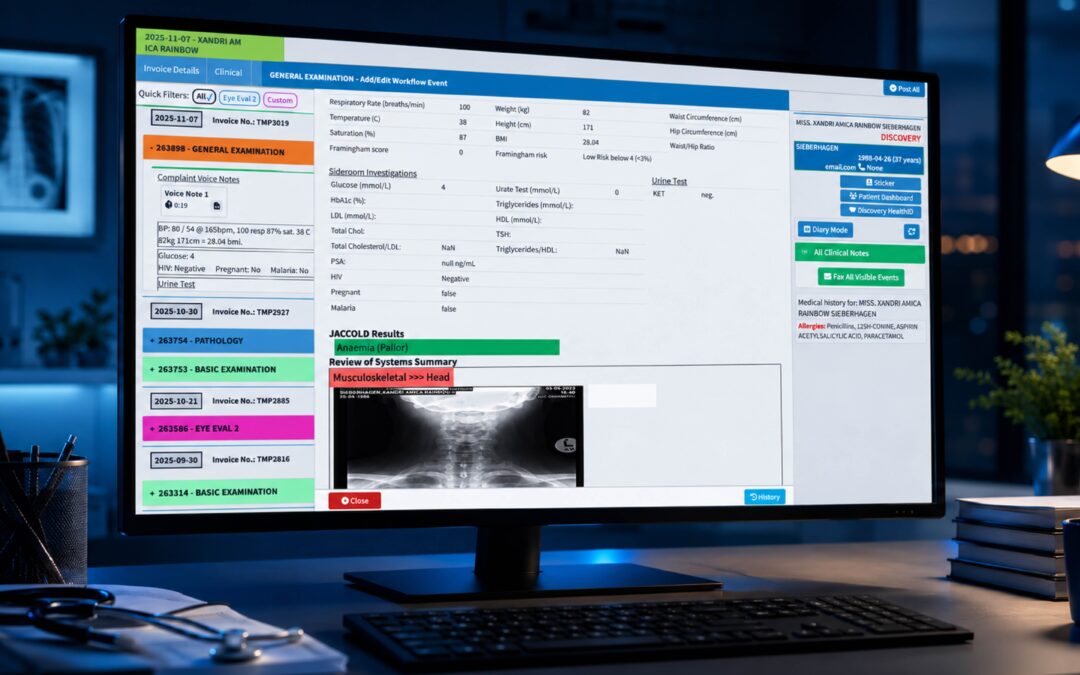
Picture the Monday morning queue. Eight people at the desk, a clipboard each, and a receptionist squinting at a date of birth that could be the 3rd of August or the 8th of March. That one smudged digit will travel with the patient record for months. It will resurface when a claim bounces or a result goes to the wrong file.
Digital patient intake software exists to stop that chain reaction at the very first link. Instead of staff retyping handwritten forms, patients enter their own details, the system checks them, and the information lands in the practice record ready to use. Done well, it takes pressure off the front desk and shortens the wait.
Not every system delivers on that promise, though. Some simply move a paper form onto a screen and leave every old problem intact. This guide covers what causes errors at registration, which features genuinely reduce them, and how to judge a system before you commit.
Where Patient Registration Errors Really Come From
Most patient registration errors are boring. A transposed digit in an insurance number, a surname spelled two ways, an old phone number, a missing policy holder. None of them feel serious at the desk, yet the American Medical Association notes that clean claims with complete, error-free information are what keep denials down, and it cites an average denial rate of around 12 percent in the United States. Registration is where a clean claim either begins or doesn’t.
The same AMA guidance on verifying registration details before the appointment is worth reading whatever country you work in. Date of birth, insurance or scheme number, and payer details should be confirmed before the patient arrives, not after the claim comes back. Coverage status and any pre-authorisation requirement belong in that same early check.
Then there’s the human side. When a receptionist is typing from a handwritten form while a phone rings and a queue builds, mistakes are almost guaranteed. Medical Economics points out that front-desk registration errors and authorisation gaps account for many payment delays. Note that the figures in these articles come from the US system, so treat them as illustrations of the pattern rather than a universal rate.
Errors also cost something that doesn’t show up on an invoice. A patient who gets a bill for the wrong amount, or a reminder sent to a dead number, loses a little trust. Trust is hard to rebuild from a reception desk.
Online Patient Forms That Patients Actually Finish
Online patient forms are the heart of any digital intake system, and they vary wildly in quality. A good one feels like a short, sensible conversation. A bad one is a twelve-page PDF with a text box on every line, and patients abandon it halfway.
Look first at how the form behaves on a phone. Most patients will complete it on the sofa the evening before, using a handset, so fields must be large, the keyboard type should match the field, and the form shouldn’t lose their progress if they’re interrupted. Test this yourself before buying.
Next, check for automated data validation. The system should flag an impossible date of birth, an email address missing its domain, or an ID number with the wrong number of characters, and it should do so while the patient is still typing. Catching a mistake at that moment costs seconds. Catching it three weeks later, on a rejected claim, costs a phone call and a resubmission.
Conditional logic matters too. A patient who ticks “no allergies” shouldn’t be asked to describe them, and a self-funding patient shouldn’t see insurer fields. Shorter, relevant forms mean better completion rates and better patient demographic accuracy.
Think about consent as well. Privacy rules differ widely between countries, so ask any vendor how consent is captured, timestamped and stored, and check it against your local regulator. Examples include the UK Information Commissioner’s Office or South Africa’s Information Regulator, depending on where you practise. Paperless patient check-in only helps if the paper trail you replace is at least as defensible.
Finally, don’t forget the people who won’t use a portal. Older patients, those without data, and anyone who simply prefers a person should still be able to register at a tablet in reception or with staff help. A system that serves only the digitally confident has just moved the problem.
EHR Integration for Patient Intake: The Make-or-Break Feature
Here is where many purchases go wrong. A slick intake form that doesn’t talk to your clinical and billing records simply creates a new job: someone has to copy the data across. That copying step is exactly where errors creep back in.
Solid EHR integration for patient intake means the information a patient enters flows straight into the right fields of their record. Demographics land in demographics. Medication history lands where the clinician expects to see it. Insurance details land where the billing team will use them. Ask to see this happen live, with a test patient, rather than accepting a slide that says “integrated”.
It helps to understand the wider principle. HealthIT.gov’s overview of interoperability explains that shared technical standards and governance are what allow systems to exchange data reliably, and that certified products are expected to meet defined functionality and security requirements. Certification schemes differ by country, but the question travels well: which recognised standards does this product support, and can it prove it? The World Health Organization’s digital health work offers a useful international frame for that conversation.
Coding is another place where intake feeds downstream accuracy. If diagnoses are recorded against a recognised classification such as the WHO’s ICD, the data stays consistent from the consulting room to the claim. Clean demographic data on the front end makes everything after it easier to trust.
Ask about duplicate detection, too. When “Jon Smith” registers online and “Jonathan Smith” already exists with the same birth date, the system should raise a flag rather than quietly create a second record. Duplicate charts are among the most stubborn data problems a practice can inherit.
A Practical Way to Evaluate Systems Before You Buy
Start by measuring your current position. For two weeks, count how many claims or invoices are queried because of registration data, and how often reception corrects a record after the fact. Without that baseline you can’t tell later whether anything improved. The AMA suggests reviewing revenue cycle performance quarterly, and that rhythm works for intake metrics as well.
Then involve the people who’ll use it. Your receptionists know which fields are always wrong and which patients always struggle. MGMA’s account of improving the front-desk experience shows how much can be learned from simply watching the journey from check-in to checkout. Shadow a morning at your own desk before you watch a vendor demo.
During demos, bring three awkward scenarios from real life: a patient with a hyphenated surname and two insurers, a parent registering a child, and a patient who starts the form on Tuesday and finishes on Thursday. See how each is handled. Vendors who only show the perfect case are telling you something.
Finally, ask what happens after go-live. Who trains the team, how are form changes made, and what reporting shows you error rates over time? A system you can’t adjust will slowly drift away from how your practice actually works.
Where GoodX Fits In
GoodX is practice management software built to connect the stages that registration errors tend to break: bookings, clinical records, billing and claims, and reporting. Because intake sits inside the same environment as the rest of the practice workflow, details a patient provides once can be used consistently by reception, clinicians and the billing team, rather than being retyped at each step.
For practices wanting to reduce rework, that matters in practical ways. Automation takes repetitive admin off the front desk, validation helps catch faulty data early, and reporting lets you see where problems cluster. [INTERNAL LINK: how GoodX supports billing and claims -> GoodX billing and claims page] shows how clean registration data carries through to submission.
If you’re comparing options, it’s also worth looking at [INTERNAL LINK: GoodX clinical records and patient management -> GoodX features page] to see how intake information appears in the patient file. A short demonstration with your own awkward scenarios will tell you more than any brochure. You can also read about [INTERNAL LINK: practice workflow automation with GoodX -> GoodX automation page] if front-desk time is your main concern.
Frequently Asked Questions
What is digital patient intake software?
Digital patient intake software lets patients enter their personal, medical and insurance details electronically, usually before they arrive. The information is validated and then passed into the practice record. This replaces handwritten forms and manual retyping, which cuts transcription errors and shortens waiting-room time.
How does it reduce registration errors?
It reduces errors by removing manual re-entry and checking data as it’s typed. Automated data validation flags impossible dates, malformed email addresses and incomplete fields immediately. Integration with the patient record then prevents copying mistakes, and duplicate detection stops the same person being registered twice.
Will older or less digital patients be left behind?
They needn’t be, provided the system offers alternatives. Good setups let patients complete forms on a reception tablet, with staff assistance, or by phone, while still capturing the data digitally. Always check that a paper-free process doesn’t exclude anyone who can’t or won’t use a portal.
What should I check about data privacy?
Check how consent is captured, where data is stored, who can access it and how access is logged. Requirements vary by country, so compare the vendor’s answers with your local regulator’s guidance. Ask for clear documentation rather than verbal assurances.
How long does it take to see results?
Many practices notice fewer front-desk corrections within the first few weeks, but the clearest picture comes from comparing your baseline error counts with figures after two or three months. Claim query rates and duplicate records are good indicators to track, reviewed at regular intervals.
Book your free GoodX demo
Want to see how intake, records and billing work together in one place? Bring your trickiest registration scenarios and watch them handled live. You can book a free demo at goodx.international.
Disclaimer: This article is provided for general informational and educational purposes only. While GoodX Software takes reasonable care to ensure that the information is accurate and current at the time of publication, laws, regulations, industry standards, healthcare policies and technology may change. The content should not be regarded as medical, legal, financial or other professional advice. Readers should verify information relevant to their circumstances and consult an appropriately qualified professional where necessary. GoodX Software accepts no responsibility for decisions made or actions taken solely on the basis of this content.