Healthcare Scheduling Software: Features That Matter
Healthcare scheduling software has become an important part of how modern medical practices manage appointments, patients and daily workflows. But not every scheduling system solves the same problems.
A basic digital calendar may show when a doctor is free. Effective healthcare scheduling software needs to go much further. It should make booking easier for patients, reduce unnecessary administrative work, support accessibility and connect scheduling with the wider practice workflow.
For healthcare providers, the question is no longer simply “Can patients book online?” It is “Does our scheduling system actually make healthcare easier to access and easier to manage?”
What Is Healthcare Scheduling Software?
Healthcare scheduling software is designed to manage appointments, provider availability and patient bookings within a healthcare environment.
Unlike a standard calendar, healthcare scheduling has to account for the realities of medical practices. Different appointment types may require different lengths of time. Certain providers may only offer particular services. Some appointments may require specific rooms, equipment or preparation.
Modern systems can also support:
- Online patient booking
- Appointment confirmations and reminders
- Rescheduling and cancellations
- Multiple practitioners
- Different appointment types
- Telehealth appointments
- Patient communication
- Practice-management integration
- Patient records and clinical workflows
This is why choosing healthcare scheduling software based purely on how attractive the calendar looks can be a mistake.
The important question is how well the scheduling system works within the entire patient and practice journey.
1. Easy Online Appointment Booking
One of the most important features is straightforward online booking.
Patients increasingly expect to manage appointments digitally rather than spending time calling a practice during office hours. Online scheduling can provide access outside normal working hours while reducing the number of routine booking calls handled by reception staff.
But convenience depends heavily on usability.
Patients should be able to quickly understand:
- Which provider they need.
- What appointment type they require.
- Which dates are available.
- Which times are available.
- What they need to do before the appointment.
A complicated booking process can defeat the entire purpose of having online scheduling.
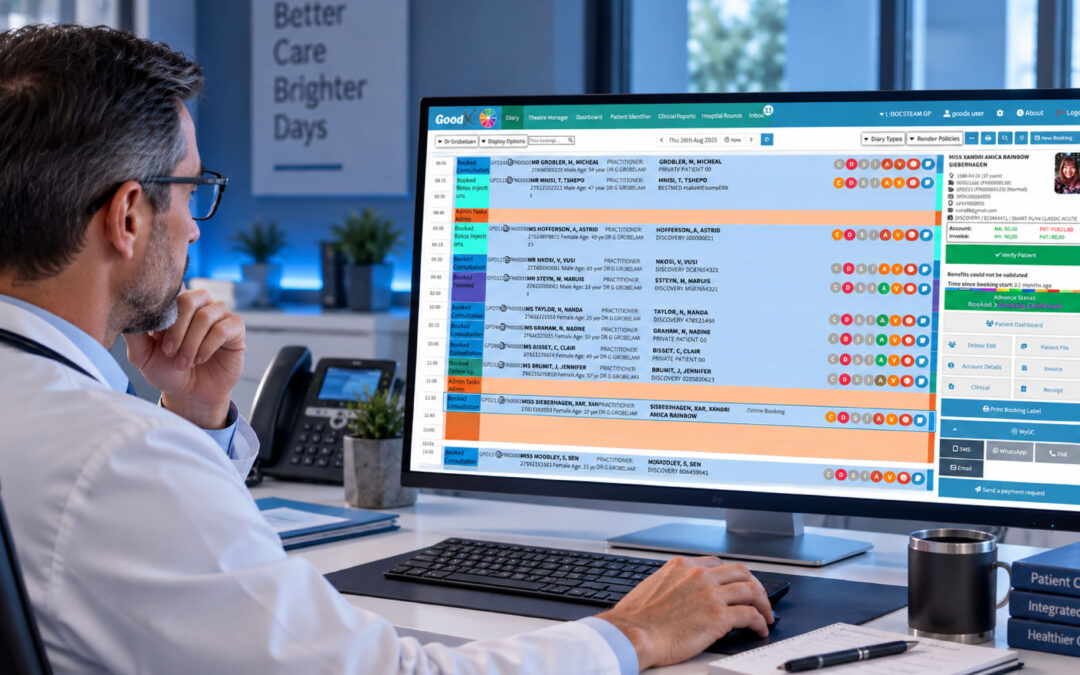
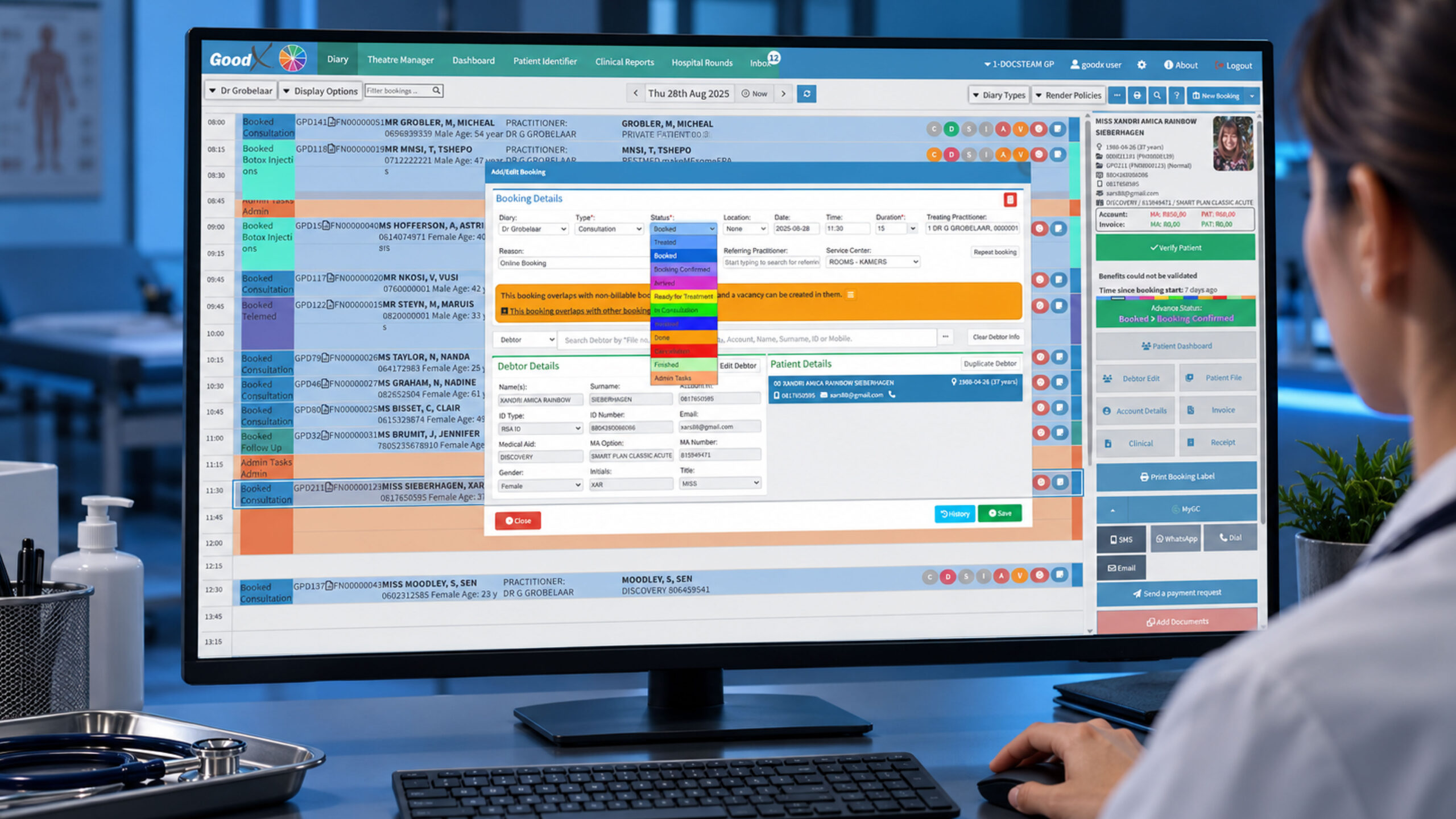
GoodX, for example, connects online patient bookings through myGrandCentral with its integrated diary, allowing appointments made online to flow into the practice schedule.
2. A User-Friendly Patient Experience
Healthcare is different from booking a restaurant or buying a cinema ticket. Patients may already be worried, uncomfortable or dealing with a time-sensitive health issue.
The scheduling experience shouldn’t add another layer of frustration.
The Experian Health research highlights the importance of intuitive online scheduling and allowing patients to manage appointments on their own time. Patients should be able to book, reschedule or cancel without unnecessary interaction with staff.
That means good healthcare scheduling software should be:
- Simple to navigate
- Mobile-friendly
- Clear about available appointments
- Easy to understand
- Fast enough to avoid unnecessary frustration
- Designed around the patient’s needs
Fewer clicks can matter. A patient who abandons a confusing booking process may simply call another practice, or postpone getting care.
3. Accessibility Is Not Optional
One feature that deserves considerably more attention is digital accessibility.
UsableNet’s research into scheduling healthcare appointments from the perspective of a blind patient demonstrates how seemingly small interface decisions can create major barriers.
For example, a scheduling system may use a visual calendar that works perfectly for a sighted user but becomes extremely difficult to navigate with a screen reader. Unlabelled buttons, inaccessible date selectors, confusing availability indicators and poorly designed forms can prevent someone from completing a booking independently.
This matters because accessibility isn’t simply about making software nicer to use.
It can determine whether someone can access healthcare without assistance.
Healthcare scheduling software should therefore consider:
- Screen-reader compatibility
- Keyboard navigation
- Properly labelled controls
- Accessible date and time selection
- Clear availability indicators
- Accessible forms
- Logical focus behaviour
- Mobile accessibility
- Accessible patient portals
The best scheduling experience isn’t merely convenient for the majority. It should be usable by as many patients as possible.
4. Automated Appointment Reminders
Even after an appointment has been booked, the scheduling process isn’t finished.
People forget appointments. Plans change. Patients get busy. A reminder can make the difference between a filled appointment slot and an empty chair.
Healthcare scheduling software should support automated communication such as:
- SMS reminders
- Email confirmations
- Appointment updates
- Cancellation notifications
- Rescheduling messages
- Follow-up or recall reminders
Automation also helps reduce the administrative burden on reception teams.
GoodX includes built-in SMS communication for appointment reminders, while its integrated diary helps keep scheduling information connected to the practice workflow.
The goal isn’t to bombard patients with messages. It’s to provide timely, useful communication that helps patients remember what they’ve booked and what they need to do next.
5. Integration With the Rest of the Practice
This may be one of the most important features of all.
A scheduling system that operates completely separately from the rest of the practice can create duplicate work. Staff may have to enter the same patient information into multiple systems, increasing the opportunity for mistakes.
Effective healthcare scheduling software should ideally connect with relevant practice-management and clinical systems.
Consider a simple example:
A patient books an appointment online.
Ideally, the practice should not need someone to manually copy that appointment into another calendar. The booking should flow into the appropriate schedule, with the relevant patient information available to the people who need it.
GoodX takes an integrated approach, connecting its diary with online bookings, patient information and clinical workflows. Its platform also connects scheduling with broader practice-management functions such as billing and clinical documentation.
This is where scheduling software becomes more than a calendar.
It becomes part of the operating system of the practice.
6. Customisable Scheduling Rules
Healthcare practices don’t all work in the same way.
A GP practice, dental practice, specialist clinic and allied-health practice can have completely different scheduling requirements.
Good healthcare scheduling software should therefore allow practices to configure things such as:
- Appointment duration
- Provider availability
- Appointment types
- Booking windows
- Different practitioners
- Online availability
- Telehealth appointments
- Breaks and blocked-out periods
- Room or resource availability
GoodX’s diary provides customisable scheduling and multiple diary views, while its online booking functionality allows practices to control availability and booking parameters.
Flexibility matters because healthcare workflows are rarely one-size-fits-all.
7. Rescheduling and Cancellations
Patients need flexibility.
If someone can’t attend an appointment, forcing them to phone the practice just to move it can create unnecessary work for both sides.
A modern scheduling system should make it straightforward to:
- Cancel an appointment
- Select another available time
- Update booking information
- Notify the practice
- Make the newly available slot visible
This also creates an opportunity to reduce wasted appointment capacity.
A cancelled appointment doesn’t necessarily have to become an empty appointment. If the system makes availability visible quickly, another patient may be able to take the slot.
8. Telehealth Support
Healthcare scheduling has also changed as telehealth has become a more established part of care delivery.
Patients may need to choose between an in-person consultation and a virtual appointment. Those options should be obvious during booking.
Good scheduling software can distinguish between appointment types and make it clear whether the patient needs to visit the practice or attend remotely.
GoodX supports telemedicine appointments through its online booking functionality.
The important point is that telehealth shouldn’t feel like a completely separate process.
Ideally, it should be another appointment type within the same connected workflow.
9. Privacy and Security
Healthcare scheduling involves sensitive information.
Even basic appointment information can be personal, while intake forms and connected patient records may contain considerably more sensitive health information.
When evaluating healthcare scheduling software, practices should consider:
- Data protection
- Access controls
- Secure authentication
- Auditability
- Appropriate privacy compliance
- How patient information is stored
- What information is collected during booking
A useful principle is data minimisation: collect what is necessary for the booking process rather than asking patients to provide excessive information before they even have an appointment.
Security should never be treated as an optional extra simply because the system’s primary purpose is scheduling.
10. The Best Feature May Be Integration
There is a temptation when comparing healthcare scheduling software to create a giant checklist.
Online booking? Tick.
SMS reminders? Tick.
Multiple calendars? Tick.
Telehealth? Tick.
But a long feature list doesn’t necessarily mean a better system.
The real value comes from how those features work together.
Imagine a patient books online. The appointment enters the diary. The practice has the relevant patient information. A reminder is sent. The patient changes the appointment. The diary updates. The clinician can access the information they need. Administrative processes continue without someone manually re-entering the same information five times.
That is where integrated healthcare software can make a meaningful difference.
GoodX fits into this model by combining its appointment diary, online bookings, patient communication and wider clinical and practice-management functionality within a connected platform.
So, What Features Really Matter?
When evaluating healthcare scheduling software, don’t start with the longest feature list.
Start with the problems your practice needs to solve.
Look for software that can provide:
- Simple online booking for patients
- Accessible interfaces for people using assistive technology
- Automated reminders to support attendance
- Easy cancellation and rescheduling
- Customisable appointment rules
- Multiple practitioner support
- Telehealth scheduling
- Integration with clinical and practice-management systems
- Strong privacy and security controls
- A smooth patient experience
And most importantly, look at what happens after the appointment is booked.
A good scheduling platform should reduce friction rather than simply move it somewhere else.
How GoodX Supports Smarter Healthcare Scheduling
GoodX illustrates why healthcare scheduling software should be considered as part of a broader practice-management ecosystem.
Its integrated diary supports custom scheduling, multiple diary views and online bookings. Through myGrandCentral, patients can book appointments online, while those bookings integrate with the GoodX diary. The platform also provides automated SMS communication and connects scheduling with clinical and administrative workflows.
That integrated approach can be particularly valuable for practices that don’t want their appointment calendar sitting in isolation from patient records, billing and other daily processes.
Of course, every practice has different requirements. The right solution depends on the size of the practice, specialties, workflow, patient population and existing technology.
But the principle is simple:
Healthcare scheduling software should make the healthcare journey easier, not create another system for staff to manage.
Final Thoughts
The future of healthcare scheduling isn’t simply about replacing the receptionist’s diary with a digital calendar.
It’s about creating better access, better communication and better-connected workflows.
Patients want convenient ways to book and manage care. Healthcare teams need tools that reduce repetitive administrative work. And accessibility needs to be considered from the beginning, not added after patients encounter barriers.
The features that matter most are therefore the ones that connect these needs: online booking, accessibility, reminders, flexibility, integration, privacy and a genuinely usable patient experience.
And when those features work together, scheduling stops being just another administrative task.
It becomes an important part of delivering better healthcare.
Contact our team to book your free GoodX demo.
Disclaimer: This article is provided for general informational and educational purposes only. While GoodX Software takes reasonable care to ensure that the information is accurate and current at the time of publication, laws, regulations, industry standards, healthcare policies and technology may change. The content should not be regarded as medical, legal, financial or other professional advice. Readers should verify information relevant to their circumstances and consult an appropriately qualified professional where necessary. GoodX Software accepts no responsibility for decisions made or actions taken solely on the basis of this content.