Medical Practice Management Program: How to Choose the Right One
Running a medical practice involves far more than seeing patients.
Behind every consultation are appointments to manage, patient information to maintain, claims to submit, payments to track, staff to coordinate and administrative tasks that need attention every day. When these processes are handled through disconnected systems or manually, even a busy practice can quickly become difficult to manage.
This is where a medical practice management program can make a meaningful difference.
The right program can bring everyday administrative and financial workflows into one connected environment, helping practices reduce repetitive work, improve visibility and give staff more time to focus on patients.
But choosing the right solution is not simply a matter of picking the software with the longest feature list.
Your practice has its own workflows, patients, specialties, staff structure and plans for growth. The software needs to fit those requirements.
What is a medical practice management program?
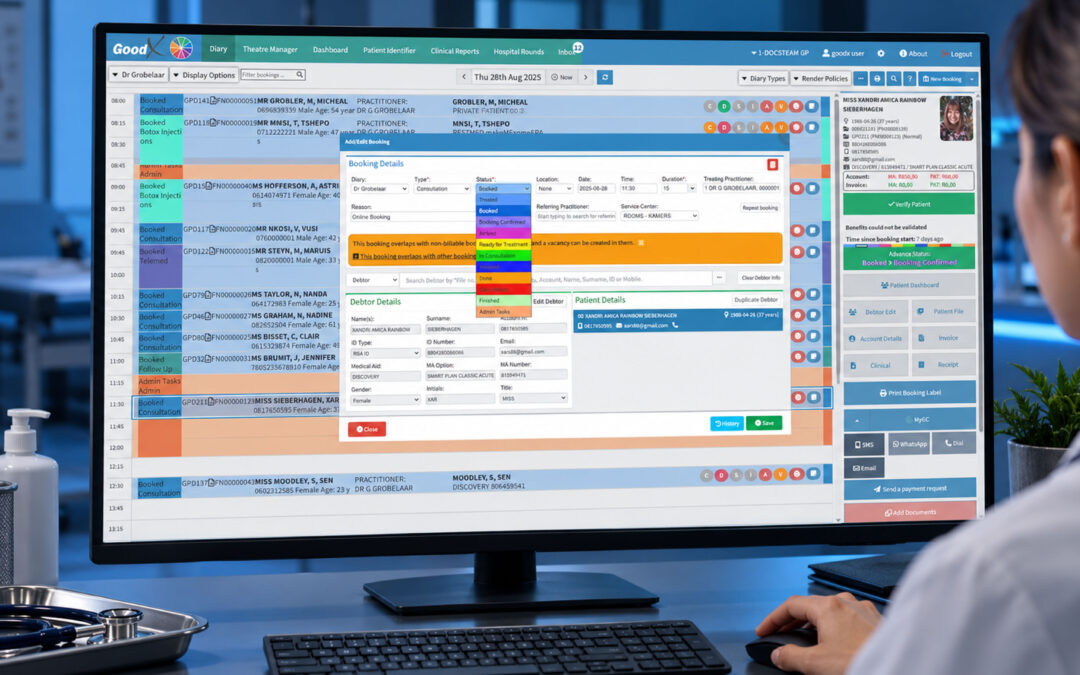
A medical practice management program is software designed to help healthcare practices manage the administrative and operational side of running a practice.
Depending on the system, it can help manage areas such as:
- Patient registration
- Appointment scheduling
- Patient communication
- Insurance and eligibility information
- Billing and claims
- Payments and collections
- Medical coding
- Reporting
- Practice administration
- User management
- Integration with electronic medical records
The important distinction is that practice management software is not simply a digital calendar or billing tool.
A good system connects different parts of the practice so information can move through the workflow with less manual intervention.
The American Medical Association recommends assessing the entire patient-management and revenue-cycle workflow when selecting a practice management system, rather than evaluating individual features in isolation.
Why practices use practice management software
Many administrative tasks may appear small when considered individually.
Booking an appointment takes a few minutes. Updating patient information takes a few more. Checking eligibility, submitting a claim, posting a payment and following up on an outstanding balance each take time as well.
Across hundreds or thousands of patient interactions, those small tasks become a substantial workload.
A medical practice management program can help centralise these activities and reduce unnecessary handoffs between staff and systems.
This can lead to:
- Less duplicate data entry
- More organised patient information
- Faster administrative workflows
- Better visibility into practice finances
- More consistent billing processes
- Easier appointment management
- Improved patient communication
- More informed decision-making
The goal isn’t to automate everything simply because technology makes it possible.
The goal is to remove avoidable administrative friction.
What does a medical practice management program do?
The exact capabilities vary between platforms, but most comprehensive systems support several core areas of practice operations.
1. Patient registration and management
Patient information is at the centre of almost every practice workflow.
A practice management program should make it straightforward to create, update and retrieve patient information.
This can include:
- Contact details
- Demographic information
- Insurance information
- Responsible-party information
- Communication preferences
- Appointment history
- Billing information
- Documents and forms
Keeping this information organised is important because the same patient information may be used by reception, clinical staff and billing teams.
When information is stored in disconnected systems, staff may have to enter the same details more than once.
A connected system can reduce that duplication.
2. Appointment scheduling
Scheduling is one of the most visible parts of practice management.
A good scheduling system should make it easy for staff to see availability, book appointments and manage changes throughout the day.
Useful functionality can include:
- Provider calendars
- Appointment types
- Recurring appointments
- Rescheduling
- Cancellation management
- Waiting lists
- Appointment reminders
- Online booking
- Multi-provider scheduling
- Multiple-location support
Automated reminders can also help practices reduce the administrative effort associated with contacting patients about upcoming appointments. Modern practice management platforms increasingly use automation for scheduling, reminders and other repetitive tasks.
The best scheduling software should fit the way your practice actually operates rather than forcing staff to adapt their entire workflow around the system.
3. Billing and claims management
Financial management is another major component of practice management.
A consultation may result in a charge that needs to be coded, billed and submitted to a payer. Once the claim is processed, the practice may need to reconcile payments, manage rejected claims and follow up on outstanding balances.
A practice management program can connect these steps.
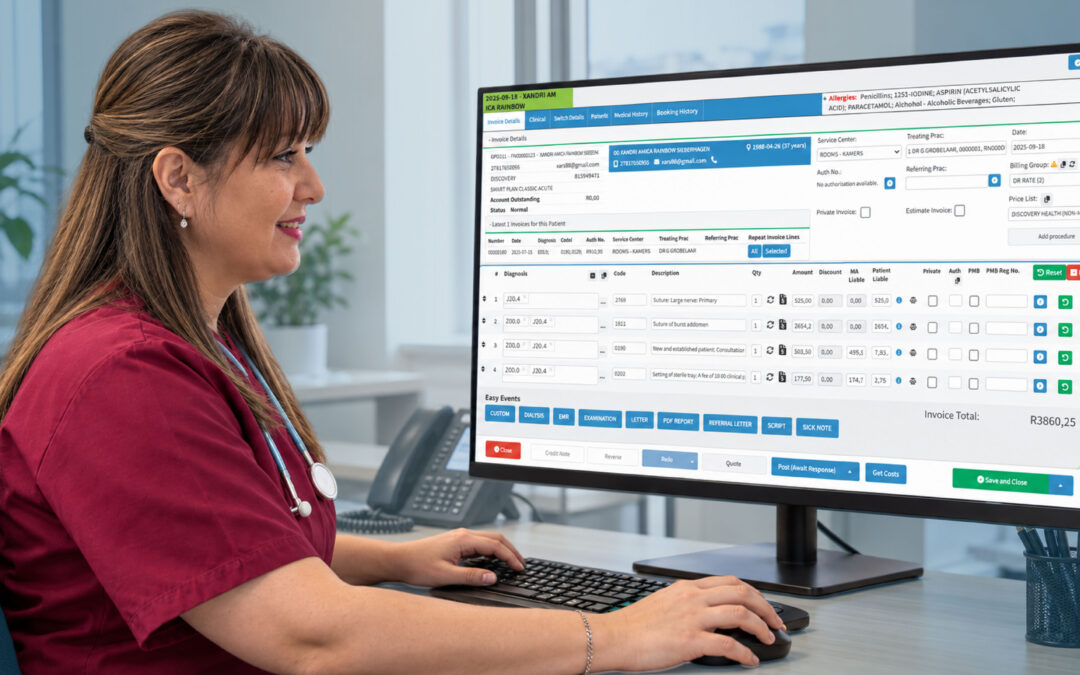
Depending on the system, billing functionality may include:
- Charge capture
- Fee schedules
- Coding support
- Claim generation
- Claim submission
- Claim tracking
- Payment posting
- Patient statements
- Accounts receivable
- Denial management
- Financial reporting
This is one reason choosing practice management software based solely on scheduling features can be a mistake.
The system needs to support what happens after the appointment, not just what happens before it.
4. Insurance and eligibility verification
Insurance information can change, and inaccurate information can create problems further down the revenue cycle.
Practice management software can help staff check eligibility and capture relevant insurance information before services are provided.
Depending on the healthcare system and payer environment, this may include:
- Coverage status
- Payer information
- Member information
- Benefit information
- Patient responsibility
- Eligibility responses
The AMA identifies eligibility and benefits functionality as one of the common capabilities to consider when evaluating practice management systems.
The practical benefit is simple: identifying problems earlier is generally easier than correcting them after a claim has already been submitted.
5. Patient communication
Patients increasingly expect healthcare organisations to provide convenient ways to communicate and manage appointments.
A modern medical practice management program may include tools such as:
- Appointment reminders
- Email communication
- SMS notifications
- Patient portals
- Online forms
- Online appointment requests
- Payment communication
These tools can reduce the amount of routine communication that staff need to handle manually.
They can also give patients more control over simple administrative tasks.
6. Reporting and financial visibility
Running a practice without useful data can make it difficult to understand where problems are occurring.
A practice management system can bring operational and financial information together so managers can monitor performance.
Depending on the software, reports may cover:
- Appointment activity
- Patient volumes
- Revenue
- Outstanding balances
- Claims
- Payments
- Denials
- Provider performance
- Accounts receivable
- Practice trends
Modern systems may also provide dashboards and analytics that make financial and operational information easier to interpret.
The important thing is not simply having hundreds of reports.
The system should make it easy to find the information you actually need to make decisions.
Medical practice management program vs EMR software
These two types of healthcare software are closely connected, but they are not necessarily the same thing.
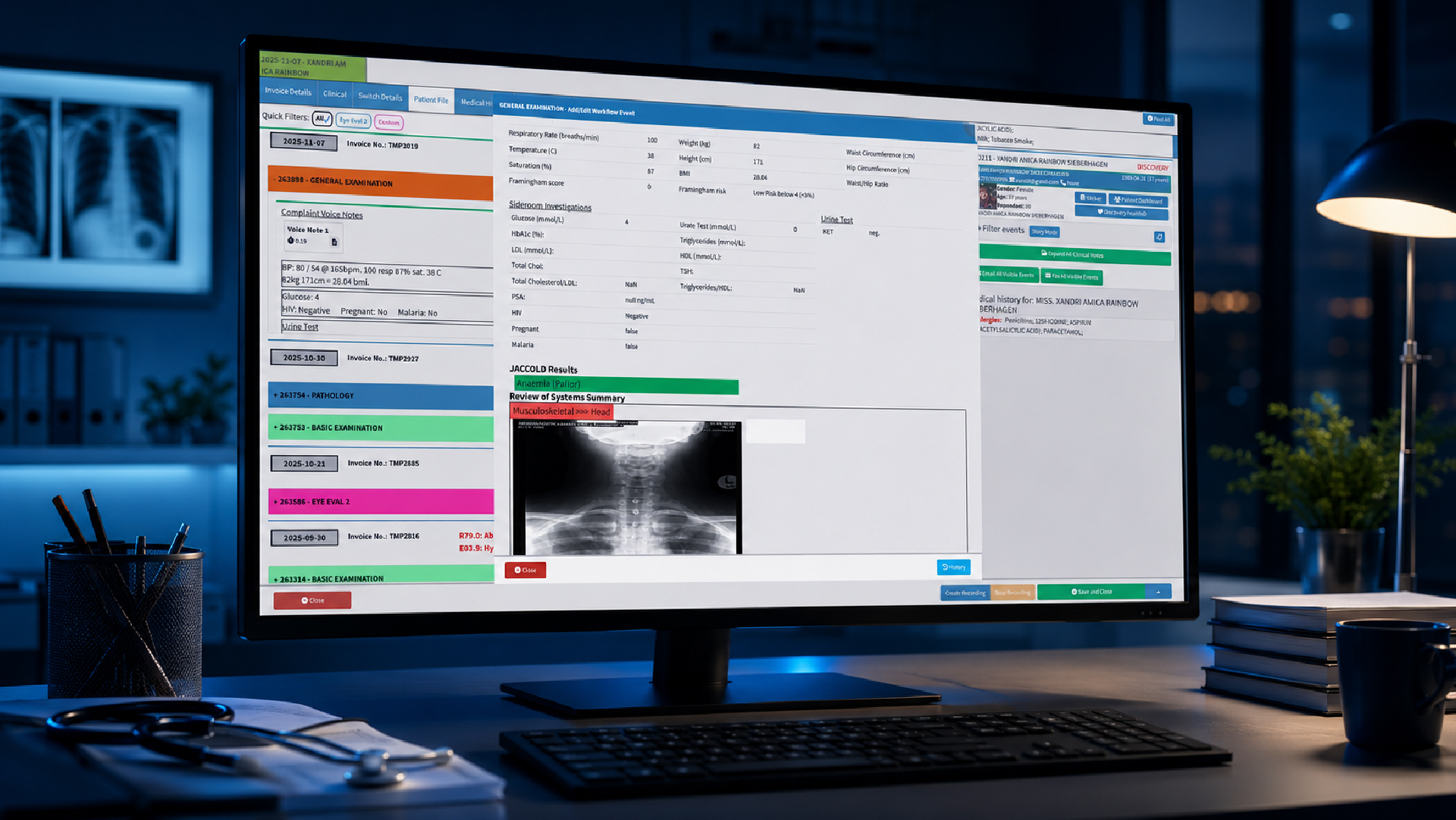
An electronic medical record (EMR) primarily focuses on clinical information and the patient’s medical record.
A practice management program focuses more heavily on the operational side of running the practice.
For example:
| EMR | Practice management |
| Clinical notes | Appointment scheduling |
| Diagnoses | Patient registration |
| Medical history | Billing |
| Treatment information | Claims |
| Medication information | Payments |
| Test results | Financial reporting |
In reality, modern healthcare platforms can overlap significantly.
Some solutions combine clinical records and practice management functionality, while others integrate separate systems.
That makes integration an important consideration when comparing software.
Why integration matters
Imagine a patient books an appointment.
Their information then needs to move through registration, clinical documentation and billing.
If each part of that process sits in a different system, staff may need to repeatedly enter or transfer information.
That creates additional work and more opportunities for mistakes.
A connected technology environment can reduce those handoffs.
athenahealth’s guidance similarly highlights integration between practice management systems, EHRs and other healthcare technologies as an important consideration because it can reduce duplicate data entry and improve information flow between clinical and administrative teams.
When evaluating software, don’t just ask:
“Does it integrate with our other systems?”
Ask:
“What information actually moves between those systems, and how does that improve our workflow?”
That’s a much more useful question.
Automation can reduce repetitive administrative work
One of the biggest advantages of modern practice management software is automation.
Healthcare staff often spend significant amounts of time performing repetitive administrative tasks.
For example:
- Sending appointment reminders
- Checking eligibility
- Processing claims
- Sending patient statements
- Updating records
- Generating reports
- Following up on administrative tasks
Where appropriate, software can automate parts of these processes.
Modern systems may also use artificial intelligence to assist with areas such as insurance selection, reporting and other administrative workflows.
But automation should be approached carefully.
Not every process needs to be automated, and poorly configured automation can create additional problems.
The best approach is to identify repetitive tasks that genuinely slow your team down and determine whether software can handle them reliably.
What to look for in a medical practice management program
Once you understand what practice management software can do, the next question is how to compare different systems.
Start with your own practice
Before speaking to software providers, document your current workflow.
Consider:
- How are appointments booked?
- Where is patient information stored?
- How is eligibility checked?
- How are charges captured?
- How are claims submitted?
- How are payments recorded?
- How are outstanding balances followed up?
- Which reports does management need?
- Where are staff spending the most time?
The AMA recommends involving people who are directly affected by the system, including physicians, clinical staff, practice managers, registration teams, coding staff and billing staff, in the evaluation process.
This is important because the person purchasing the software may not be the person using it for eight hours a day.
Create a practical feature checklist
Once you’ve mapped your workflow, separate the features you need into categories.
Essential
These are functions your practice cannot reasonably operate without.
Important
These could significantly improve efficiency but may not be essential.
Nice to have
These are useful additions but shouldn’t determine the purchase by themselves.
Your checklist might include:
- Patient management
- Scheduling
- Billing
- Claims
- Eligibility verification
- Reporting
- Patient communication
- EMR integration
- Payment processing
- Automation
- Security
- Multi-location support
- Mobile or remote access
A checklist gives you something objective to use when comparing vendors.
Don’t choose software based on the demo alone
A polished software demonstration can make almost any platform look impressive.
The better test is to ask the vendor to demonstrate your actual workflows.
For example:
“Show us how a new patient is registered.”
Then:
“Show us how that patient is booked.”
Then:
“Show us what happens after the consultation.”
Follow the entire journey through billing, claims, payment and reporting.
This can reveal workflow problems that aren’t obvious when a vendor simply shows individual features.
Consider scalability
The system that works for your practice today should not become a limitation two years from now.
Think about where the organisation is going.
Are you planning to:
- Add more providers?
- Open another location?
- Increase appointment volumes?
- Add new specialties?
- Expand administrative teams?
- Introduce online booking?
- Connect additional healthcare systems?
Scalability isn’t only about adding more users.
It is also about whether the software can continue supporting your workflows as those workflows become more complex.
athenahealth recommends considering both the current needs of the practice and its longer-term growth objectives when evaluating practice management software.
Cloud-based vs server-based practice management software
Another consideration is how the software is hosted.
Cloud-based software
Cloud-based systems are hosted by the software provider and accessed over the internet.
Potential advantages include:
- Access from different locations
- Centralised updates
- Reduced local infrastructure requirements
- Easier scalability
- Support for distributed teams
However, practices should still evaluate connectivity, security, availability, backups and data-management practices.
Server-based software
Server-based systems are hosted on infrastructure controlled by the organisation.
This can provide greater control over the local environment, but it can also place more responsibility on the practice for infrastructure, maintenance, backups and updates.
There isn’t one universal answer.
The right model depends on your organisation’s requirements and resources.
The AMA recommends explicitly considering the differences between server-based and web-based systems during the selection process.
Security should be part of the decision
A practice management system handles sensitive information, so security should not be treated as an afterthought.
When evaluating a provider, ask about:
- User authentication
- Multi-factor authentication
- Role-based permissions
- Audit trails
- Data encryption
- Backups
- Data storage
- System monitoring
- Disaster recovery
- Software updates
- Security policies
Also consider what happens when an employee leaves.
Can their access be removed immediately?
Can administrators control what different users can see and do?
Modern cloud-based systems may provide security capabilities such as automated updates, monitoring and backups, but practices should still understand exactly how the vendor protects their data.
Common mistakes when choosing practice management software
Choosing the cheapest option
The lowest subscription price doesn’t necessarily mean the lowest total cost.
If staff have to perform more manual work, use additional systems or spend more time correcting errors, the actual cost can be much higher.
Choosing too many features
More features don’t automatically equal a better system.
If the software is difficult to use, staff may struggle to adopt it.
Ignoring staff feedback
The people using the system every day should have a voice in the selection process.
Forgetting about integration
A practice management program should fit into your wider technology environment.
Failing to test real workflows
Don’t just watch a presentation.
Test the system.
Not thinking about growth
Choose software that can support where your practice is going, not only where it is today.
How much does a medical practice management program cost?
There is no single price for practice management software.
Cost can depend on:
- Number of users
- Number of providers
- Number of locations
- Features
- Integrations
- Billing requirements
- Implementation
- Training
- Support
- Hosting
- Data migration
When comparing costs, consider the total value of the system, not simply the monthly subscription.
A system that costs slightly more but saves staff hours every week may provide considerably better value.
Likewise, a cheaper system may become expensive if it requires several additional tools to perform basic workflows.
How GoodX can support medical practice management
A medical practice management program should ultimately make running a healthcare practice easier.
GoodX brings key practice workflows together in a connected healthcare environment, helping practices manage the administrative, clinical and financial processes that sit around patient care.
Instead of treating scheduling, patient information and financial administration as completely separate activities, GoodX is designed to help practices manage these workflows within a broader system.
That can help reduce unnecessary duplication, improve visibility and give healthcare teams a more connected view of their day-to-day operations.
For practices evaluating a new system, the important question isn’t simply whether software has a particular feature.
It’s whether the software can help your team work more effectively from the moment a patient books an appointment through to billing, payment and follow-up.
How to make the switch to a new practice management program
Changing practice management systems is a significant project.
Before implementation, make sure you understand what needs to happen.
1. Document your current processes
Know how your practice currently works before changing it.
2. Identify problem areas
Look for repetitive tasks, bottlenecks, duplicate data entry and areas where information gets lost between teams.
3. Plan data migration
Determine what patient, billing and administrative information needs to move into the new system.
4. Train your team
Training should be relevant to each user’s responsibilities.
5. Test the workflows
Test appointments, registration, billing, claims, payments and reporting before going live.
6. Monitor the transition
Once the system is live, collect feedback and identify areas that need adjustment.
A successful implementation isn’t simply about installing software.
It’s about creating a workflow that staff can actually use.
The future of medical practice management
Practice management software is moving beyond basic administration.
Automation, analytics, interoperability and artificial intelligence are increasingly becoming part of healthcare technology.
That doesn’t mean every practice needs the most advanced technology available.
Instead, practices should focus on technology that solves real operational problems.
For one organisation, that might mean better appointment management.
For another, it could be more efficient billing.
For another, it might be connecting the EMR and practice management system so staff don’t have to enter information twice.
The best technology is ultimately the technology that makes the practice work better.
Selecting the Right Software for Your Practice
Choosing a medical practice management program is an important decision because the software can influence almost every part of a practice’s daily operations.
The right system should help you manage:
- Patients
- Appointments
- Billing
- Claims
- Payments
- Communication
- Reporting
- Staff workflows
- Integrations
- Practice growth
But the most important consideration is how those features work together.
Before choosing a provider, map your current workflow, involve the people who will use the system, create a practical checklist and test real-world scenarios.
Look beyond the feature list and consider usability, integration, security, automation, scalability and long-term support.
A good medical practice management program shouldn’t create another layer of administration.
It should remove it.
Frequently asked questions
What is a medical practice management program?
A medical practice management program is software that helps healthcare practices manage administrative and operational activities such as patient registration, scheduling, billing, claims, payments, communication and reporting.
What is the difference between practice management software and EMR software?
Practice management software generally focuses on administrative and financial workflows, while EMR software focuses primarily on clinical patient information. Some healthcare platforms combine both.
What features should a medical practice management program have?
Important features can include patient management, appointment scheduling, billing, claims processing, eligibility verification, payment management, reporting, patient communication, integrations, automation and security controls.
Can practice management software integrate with an EMR?
Yes. Many modern practice management systems can integrate with EMR or EHR platforms. Integration can reduce duplicate data entry and improve the flow of information between clinical and administrative teams.
Is cloud-based practice management software better?
Not necessarily. Cloud-based and server-based systems have different advantages. The right choice depends on your practice’s infrastructure, accessibility requirements, security considerations and long-term plans.
Can practice management software automate administrative tasks?
Many modern systems can automate tasks such as appointment reminders, eligibility checks, claims workflows, patient statements and reporting. The specific capabilities depend on the software.
How do I choose the right medical practice management program?
Start by identifying your practice’s current challenges and future goals. Then compare systems based on workflow fit, usability, features, integration, security, scalability, support and total cost of ownership.
Is practice management software suitable for small medical practices?
Yes. Smaller practices can benefit from software that reduces administrative work and centralises scheduling, patient management and billing. However, the system should be appropriately sized for the practice rather than unnecessarily complex.
What should I ask a practice management software provider?
Ask about implementation, data migration, integrations, security, support, pricing, training, system availability, scalability and how the software handles your specific workflows.
Disclaimer: This article is provided for general informational and educational purposes only. While GoodX Software takes reasonable care to ensure that the information is accurate and current at the time of publication, laws, regulations, industry standards, healthcare policies and technology may change. The content should not be regarded as medical, legal, financial or other professional advice. Readers should verify information relevant to their circumstances and consult an appropriately qualified professional where necessary. GoodX Software accepts no responsibility for decisions made or actions taken solely on the basis of this content.
Talk to our South African team and book your free GoodX demo.